Automation That Reads, Writes and Decides: AI for Business Automation
For years, automation could only follow the exact steps you spelled out, and it broke the moment anything unexpected arrived. AI changes that: it reads messy documents, understands plain language, and makes judgment calls. Here is what AI can automate that rules never could, where to use it, where to keep a human in the loop, what it costs, and how a growing business starts.
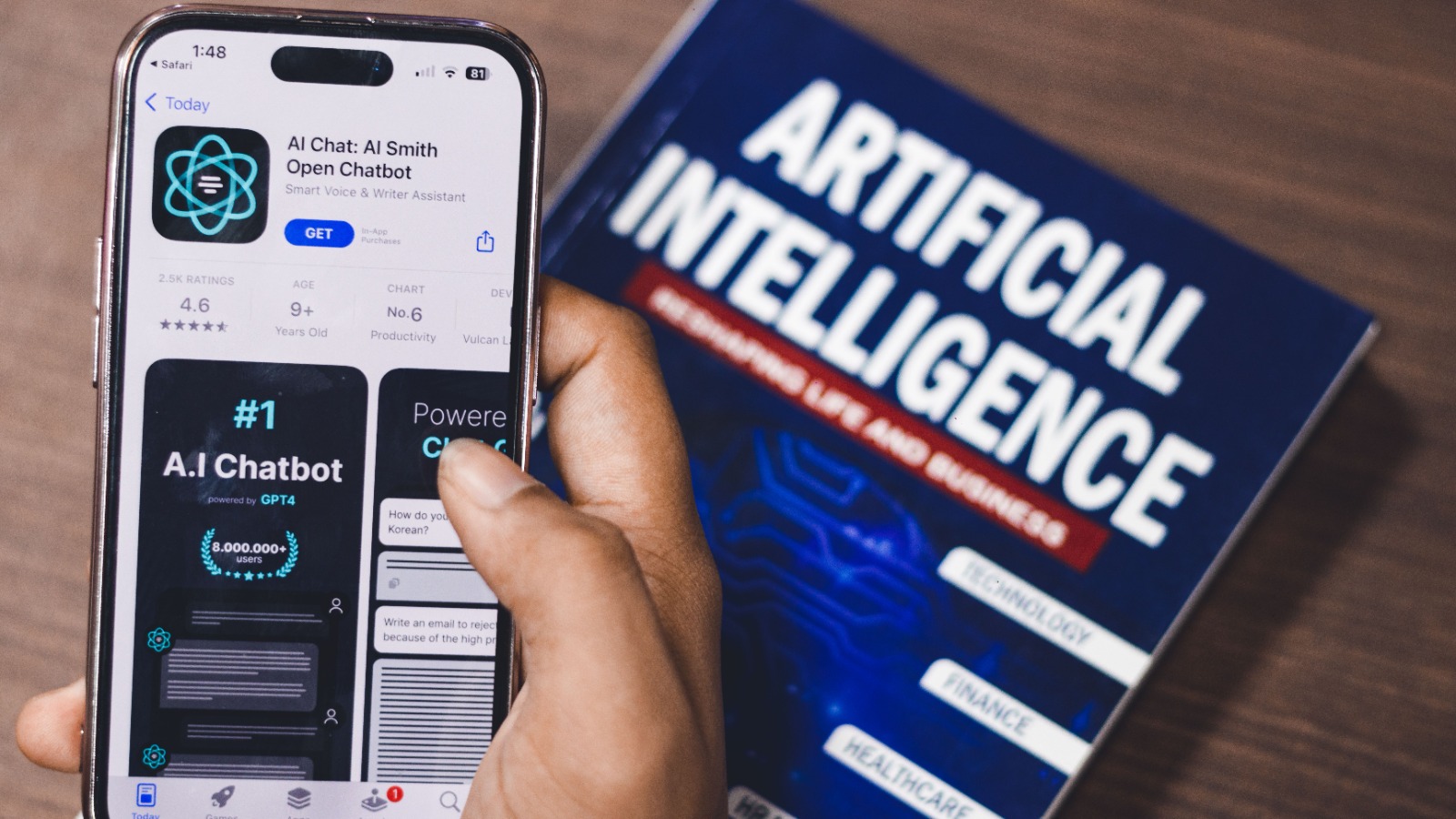
For years, business automation could only do exactly what it was told. You spelled out every step, and the software followed them to the letter, which worked beautifully right up until something unexpected arrived: a supplier who worded their invoice differently, a customer who asked a question off-script, a form filled in the wrong order. The moment reality strayed from the rules, the automation stopped cold and a person had to step in.
AI lifts that ceiling. Instead of following fixed steps, it can read a messy document, understand a sentence written in plain language, weigh the details and decide what to do, the kind of judgment that used to demand a human. The shift is already mainstream: 88% of organizations now use AI in at least one business function (McKinsey). This guide is the practical, honest version for a growing business: what AI can automate that rules never could, where to use it, where to keep a person in the loop, what it costs, and how to start, building on the foundations in our guide to business automation.
What AI for Business Automation Actually Means
AI for business automation is the use of artificial intelligence to handle work that normally needs human understanding, not just human hands. Traditional automation is brilliant at repetitive, predictable tasks with clear rules, and AI extends that reach to the messy, language-heavy, judgment-based work those rules could never quite capture. In plain terms, it is automation that can think a little, rather than only follow.
Under the hood it draws on a few technologies, each suited to a different kind of problem: machine learning spots patterns, natural language processing reads and writes text, computer vision interprets images and documents, and generative AI produces drafts and replies. You rarely need to know which is which. What matters is the result: software that copes with the variation real business throws at it, instead of breaking on the first exception.
Rules vs Reasoning: How AI Changes What Can Be Automated
The clearest way to understand AI automation is to set it beside the automation you already know. A rule-based workflow is a set of instructions: when this happens, do exactly that. It is fast, cheap and perfectly reliable, as long as every input looks the way you expected. Hand it something unusual and it has no idea what to do, because nobody wrote a rule for the unexpected.
AI works the other way around. Rather than matching inputs to pre-written rules, it interprets what is in front of it and responds, the way a capable assistant would. Show it ten invoices in ten different layouts and it reads them all; give it a customer message it has never seen and it grasps the intent. The trade is predictability for flexibility, which is why the two approaches suit very different jobs.
| Rule-based automation | AI automation | |
|---|---|---|
| Best at | Repetitive, predictable tasks | Messy, varied, judgment tasks |
| The unexpected | Stops and waits for a human | Interprets and adapts |
| Inputs it handles | Structured and consistent | Unstructured: text, images, speech |
| Behaviour | The same every time | Reasoned, and can vary |
| Cost and oversight | Cheap and predictable | Flexible, needs review |
The shift: rule-based automation does what you told it, while AI automation does what you meant. One is a set of instructions and the other is closer to a judgment, so knowing which a task needs is the whole skill.
What AI Can Now Automate That Rules Never Could
The practical question is what this unlocks, so here are five things AI can automate that rule-based tools never managed, each with an everyday example.
- Reading unstructured documents. Invoices, contracts, receipts and emails arrive in endless formats, and rules choke on the variation. AI reads them like a person, pulling the figures and details into your systems whatever the layout, which is why invoice processing is one of the first jobs businesses hand to it.
- Understanding language. AI grasps what a customer really means, not just the keywords they used, so it can sort, route and answer messages written in normal human English. This is what separates a genuinely helpful assistant from the rigid keyword bots of the past, a line we draw in our guide to AI agents versus chatbots.
- Making judgment calls. Scoring a lead, prioritising a support ticket, flagging a risky transaction, these are decisions rather than lookups, and AI can weigh the signals and choose sensibly. It will not be right every time, but on high-volume, low-stakes calls it stays consistent in a way a tired human cannot.
- Generating content. From a first draft of a reply to a product description to a summary of a long thread, AI produces usable text in seconds. A person still edits and approves, but starting from a solid draft instead of a blank page is often most of the work removed.
- Spotting patterns and predicting. Across piles of data AI sees what a person would miss: the customer about to leave, the stock about to run out, the invoice that looks fraudulent. It turns history into a quiet early warning, so you act before a problem becomes expensive.
AI Automation Across Your Business: Use Cases by Function
Those capabilities show up differently in each corner of a company, so here is where AI automation earns its keep across the functions a growing business runs, with a table to map it at a glance.
Customer Support
AI reads incoming questions, answers the common ones instantly from your own material, and routes the rest to the right person with the context attached. It absorbs the volume a small team cannot, while knowing when to hand a tricky or sensitive case to a human, which is the heart of a thoughtful customer support automation setup.
Sales and Leads
Beyond capturing and replying to leads, AI qualifies them by reading the conversation, drafts personalised follow-ups, and keeps your records updated from the back-and-forth without anyone typing notes. Layered onto the workflows in your CRM automation, it means every lead is read and ranked the moment it arrives, not whenever someone gets to it.
Marketing and Content
AI drafts the social posts, the newsletter and the ad copy, turns one article into ten formats, and reads campaign results to suggest what to try next. The owner stays the editor and the voice, while the blank-page work that stalls most marketing is done in seconds rather than hours.
Finance and Invoicing
This is where AI pays back fastest for many businesses. It reads incoming invoices whatever their format, matches them to orders, flags the odd ones, and chases overdue payments, so the finance admin that eats evenings runs quietly in the background. Some businesses have cut invoice-processing time by around 70% this way.
HR and Onboarding
AI screens applications against what you genuinely need, answers new-hire and customer onboarding questions, and makes sure every step and document happens in order. Done well it lifts the experience as much as the speed, and AI-driven onboarding has cut cycle times by 30 to 50% by removing the manual chasing and rework.
Operations and Admin
The glue work of a business, summarising long threads, updating spreadsheets, compiling reports, pulling answers out of scattered documents, is exactly the unstructured drudgery AI was built for. Handing it the admin nobody enjoys frees your people for the work that truly needs them, which is the whole point of the exercise.
| Function | What AI does | The win |
|---|---|---|
| Customer support | Answers common questions, routes the rest | Fast replies without a bigger team |
| Sales and leads | Qualifies, drafts follow-ups, updates records | Every lead read and ranked at once |
| Marketing and content | Drafts copy, repurposes, reads results | The blank page disappears |
| Finance and invoicing | Reads invoices, matches, chases payments | Evenings of admin handed back |
| HR and onboarding | Screens, answers, sequences the steps | A faster, smoother first week |
| Operations and admin | Summarises, updates, compiles, finds | The drudgery runs itself |
Rule of thumb: the best first candidate for AI is a task that is high in volume, heavy on reading or writing, and low in risk if it occasionally gets one wrong. Start there, not with the job that would hurt most to botch.Wondering where AI would help your business first?We will look at the messy, time-consuming work your team does by hand, then build the AI automation that takes it on, with a person kept in the loop where it counts.Book a call
When to Use AI, and When Plain Rules Are Better
The hype makes it sound as if AI should run everything, and that is the fastest way to waste money and trust. AI is the right tool only when a task involves variation, language or judgment. For work that is fixed and predictable, a plain rule is cheaper, faster and perfectly reliable, with none of the oversight AI demands.
Sending a receipt when a payment arrives, moving a deal to the next stage, firing a reminder before an appointment: these are deterministic jobs that a simple workflow nails every time, and reaching for AI there only adds cost and uncertainty. Reading a supplier's oddly worded invoice or answering a free-text question is where AI shines. The strongest systems blend the two, letting reliable rules carry the predictable steps, as in any solid workflow automation for a small business, and calling on AI only for the moments that genuinely need a brain.
Reality check: using AI for a task a simple rule could handle is like hiring a consultant to flip a light switch. Match the tool to the task, and reserve the expensive thinking for the work that truly requires it.
Where AI Fails: What to Keep Human
AI is powerful and confidently fallible, which is a dangerous combination if you forget the second half. It can produce an answer that is fluent, plausible and completely wrong, with no flicker of doubt, and it can carry quiet bias from the data it learned on. Used carelessly in the wrong place, it fails in ways that cost trust faster than any time it saved.
So draw clear lines. Keep a human firmly in charge of the high-stakes and emotional moments, a complaint, a big quote, a sensitive negotiation, where being wrong is expensive. Let AI prepare the work, draft the reply and flag what needs attention, then have a person review anything customer-facing or irreversible before it goes out. The aim is a partnership, where AI does the heavy lifting at speed and human judgment stays on the decisions that matter.
The uncomfortable truth: the question is never whether AI will make mistakes, because it will. The question is whether a mistake gets caught by a person before it reaches a customer, and that is a matter of design, not luck.
How to Start Without Betting the Business
You do not adopt AI by rebuilding your company around it. You start with one task, prove it, and grow from there, the same patient approach behind any automation that sticks. Four steps keep the first attempt safe.
- 1. Pick one messy, high-volume, low-risk task. Choose the job that wastes the most time on reading or writing and would not be a disaster if AI occasionally erred, like sorting inbound emails or drafting replies. A safe first win builds the confidence for bolder steps.
- 2. Keep a human in the loop. Have AI do the work and a person approve it at first, so you learn where it is reliable and where it is not before you ever let it run unwatched. Trust is earned on real cases, never assumed.
- 3. Start with the AI already in your tools. Your inbox, CRM, helpdesk and document apps increasingly have AI built in, so you can often begin without buying anything new. It is the cheapest way to see what AI does for your actual work.
- 4. Test, measure, then expand. Check that it saves the time and holds the quality you hoped for, then widen its remit or move to the next task. If you would rather start from a proven shortlist, our roundup of the automations to set up first is a sensible place to begin.
What It Costs, and What It Returns
The price of AI automation has fallen further than most owners realise. Much of it now comes built into tools you already pay for, the standalone assistants are priced per user or per use rather than as a heavy upfront system, and genuine free tiers let you test the idea for nothing. You can run your first AI automation for the price of a coffee, and often for less.
The return is where the case closes. Beyond the hours handed back, AI tends to lift quality and speed at once, with faster replies, cleaner data and fewer missed problems. Research puts the average return at around $3.70 for every $1 spent on AI (Microsoft and IDC), and the early proof points are striking, from invoice work cut by most of its time to onboarding that runs in half. A single assistant handling routine replies or document work can absorb hours of staff time a day, so even a paid plan tends to pay for itself inside the first month. When you are ready to choose between the options, our roundup of the best AI automation tools sorts them by the job they do.
Keeping the AI You Use Trustworthy
AI automation is not something you switch on and forget, because its quality rides entirely on what you feed it and how you watch it. Good data in is the difference between helpful and harmful, since messy records or biased history produce confident nonsense at speed. Tidy the inputs before you lean on the outputs.
A few habits keep it honest. Decide what AI is allowed to do on its own and what always needs a human signature, especially anything touching money or customers. Review its outputs regularly rather than assuming yesterday's accuracy holds, because models and your data both drift over time. And mind privacy: be deliberate about what customer information you let an AI tool see, and choose providers whose handling you trust.
The Mistakes to Avoid
A handful of predictable missteps trip up most first attempts, and sidestepping them is half the battle. Each has a simple antidote.
- Automating a broken process. AI amplifies whatever you point it at, so aiming it at a messy process simply produces the mess faster. Fix the steps by hand before you add intelligence on top of them.
- Rolling out with no pilot. Switching AI on everywhere at once leaves you no way to catch what it gets wrong. Prove it on a small, real slice first, then widen it once it has earned the room.
- Letting unreviewed AI face customers. Putting raw AI output in front of customers on anything that matters is how a single confident mistake becomes a public one. Keep a human check on the high-stakes, outward-facing moments.
- Chasing hype over a real problem. Adding AI because it is fashionable, rather than because a specific task is costing you, wastes money and goodwill. Start from the pain, not the technology, and the right use becomes obvious.
Frequently Asked Questions
What is the difference between AI and traditional business automation?
Traditional automation follows fixed rules you write in advance and does the same thing every time, which makes it cheap and reliable for predictable tasks. AI automation interprets what is in front of it and adapts, so it can handle messy documents, plain-language messages and judgment calls that rules cannot. The best systems use both, with rules for the predictable steps and AI for the parts that need understanding.
Can a small business really use AI for automation?
Yes, and more easily than ever, because much of the AI is now built into tools small businesses already use, with free tiers to test it. You do not need a developer or an IT department to start, only a clear task worth automating and a willingness to keep a human in the loop early on. Most small teams can have a useful AI automation running within an afternoon.
Will AI automation replace my employees?
No, it replaces specific tasks rather than people, and mostly the repetitive reading, writing and sorting that stops your team doing their real work. AI handles the volume and the drudgery while people keep the judgment, the relationships and the decisions that need a human. The aim is to make a small team perform like a larger one, not to shrink it.
How much does AI business automation cost?
Less than most owners expect, and often nothing to begin with. Many tools now include AI at no extra cost, and standalone options charge per user or per use rather than a heavy upfront fee. The larger cost is the staff time lost to doing the work by hand, which is exactly what the spend buys back.
Is it safe to use AI for customer-facing tasks?
It is, as long as a person reviews anything high-stakes before it reaches a customer. AI can draft, sort and answer the routine cases, but the sensitive or expensive moments need a human check, because AI can be confidently wrong. Build that review into the design and you get the speed without the risk.
What should a business automate with AI first?
Start with a task that is high in volume, heavy on reading or writing, and low in risk if it occasionally errs, such as sorting incoming emails or drafting first replies. Prove one use on real work before expanding, so you learn where AI is reliable for your business. That first win teaches you more than any amount of planning.
Let the Machine Do the Thinking It Can
For decades, automation could only handle the parts of your business that never changed, leaving every exception, every judgment and every scrap of messy text for a human to wade through. AI finally reaches that work. The reading, the sorting, the drafting and the deciding can now run at machine speed, with your people stepping in only where their judgment genuinely counts.
The businesses that win with AI are the ones that automate the right things and keep a person where it matters, while the rest chase the hype and automate everything in sight. That is the system we build: AI automation aimed at the work that is truly costing you, with the guardrails to keep it trustworthy. If you want to see which task AI should take off your plate first, it is a short conversation away.